

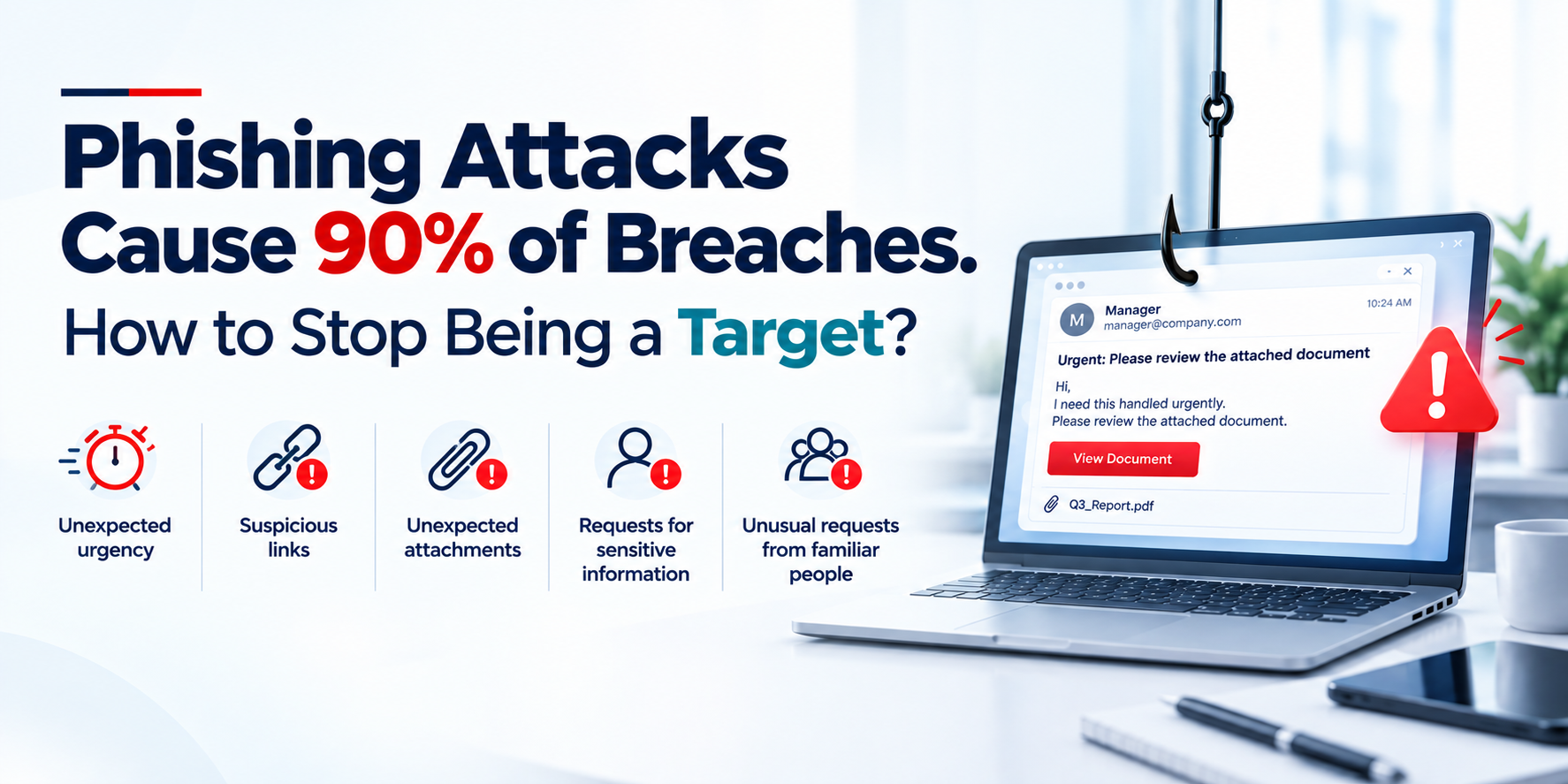
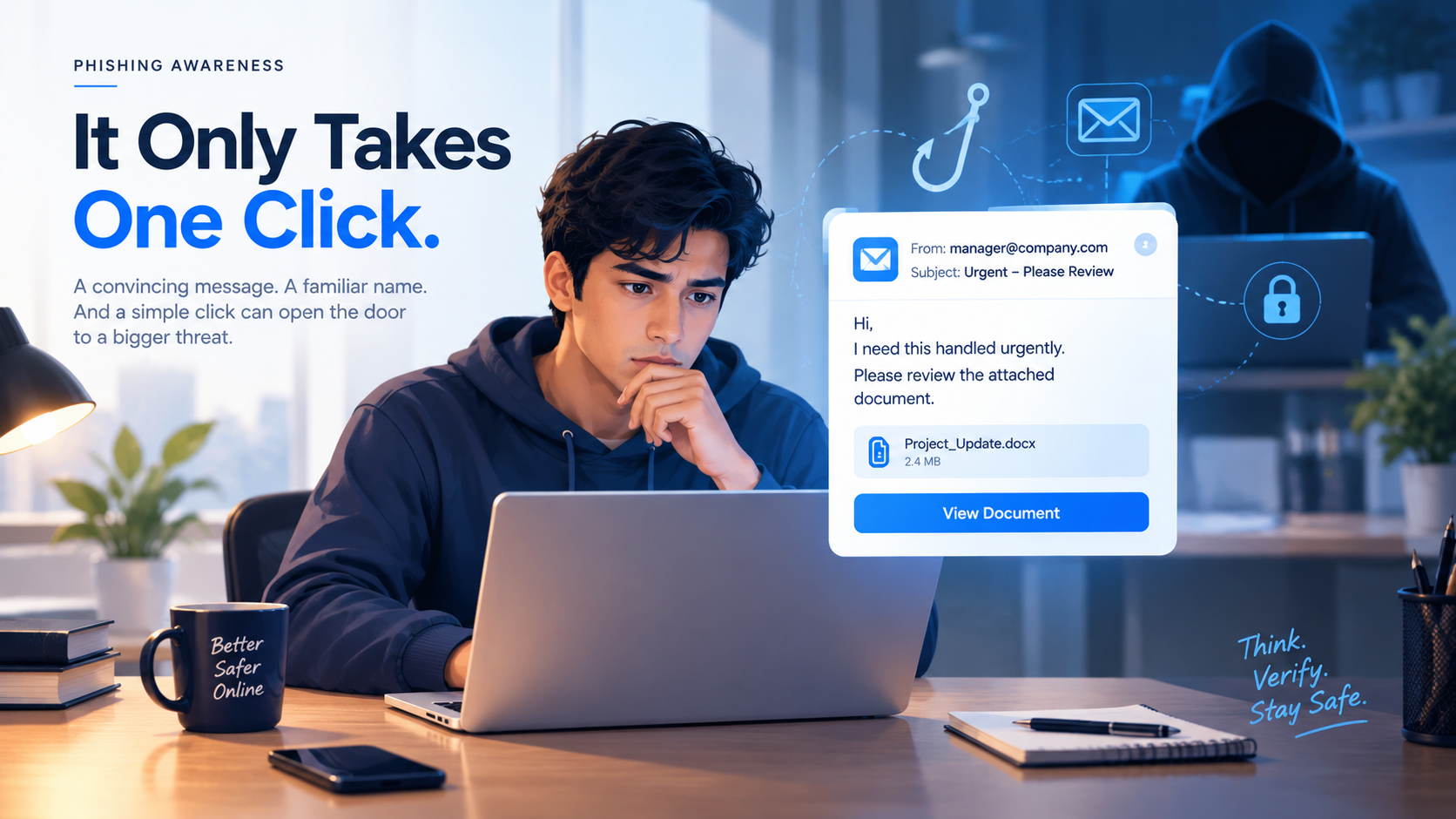
A message arrives from your manager.
"I need this handled urgently. Please review the attached document."
The sender looks familiar. The branding looks legitimate. The request sounds normal.
You click.
Within minutes, an attacker may have your password, access to your email, or a path into your organization.
That is why phishing remains one of the most effective entry points for cyberattacks. It does not need to exploit a sophisticated vulnerability. It exploits something every organization has: people making decisions under pressure.
Phishing remains one of the most effective forms of social engineering because it does not always require sophisticated malware or a technical exploit. It targets something much simpler: human trust.
Why Phishing Still Works
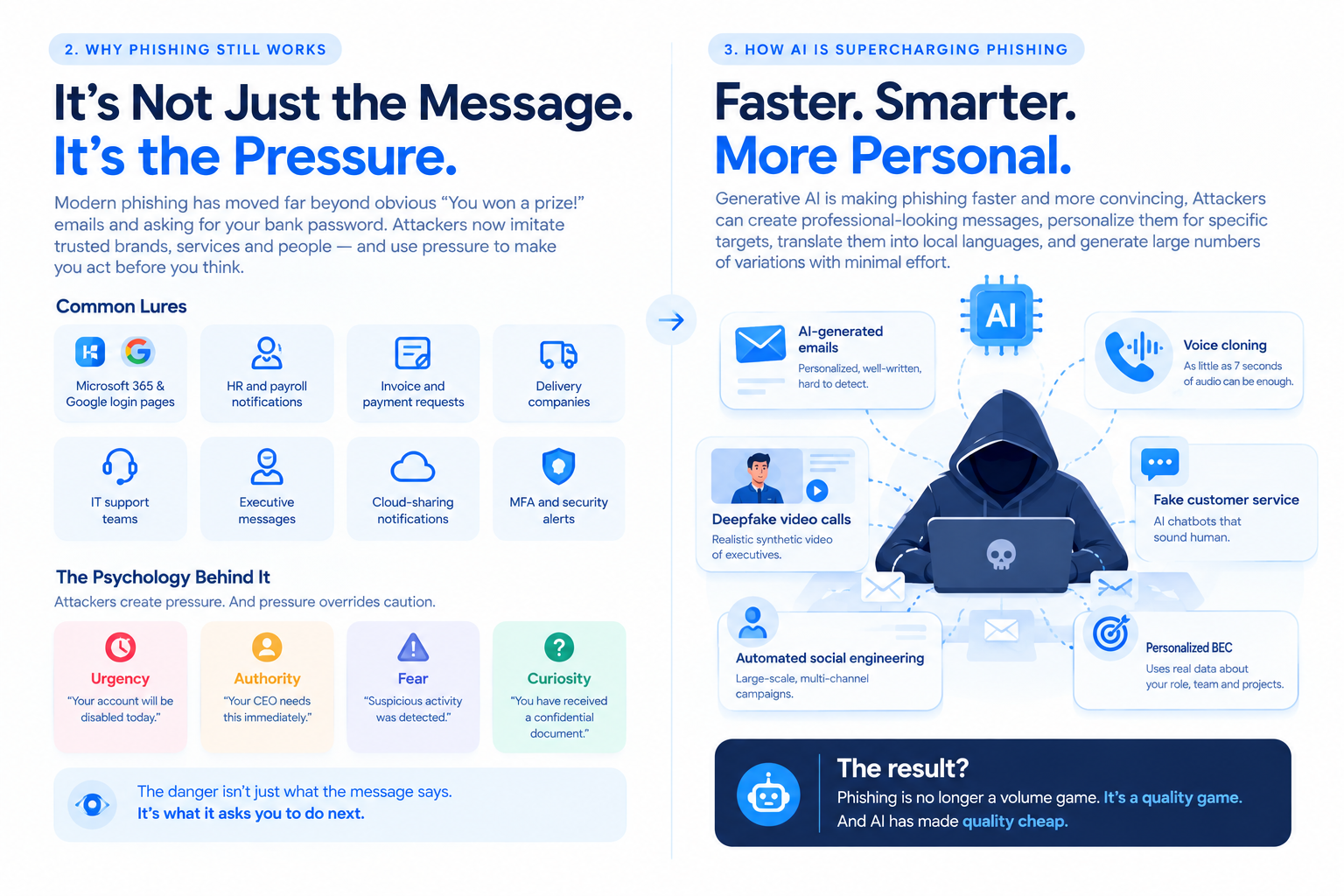
Modern phishing has moved far beyond obvious “You won a prize!” emails and asking for your bank password
Attackers now imitate:
Microsoft 365 and Google login pages
HR and payroll notifications
Invoices and payment requests
Delivery companies
IT support teams
Executive messages
Cloud-sharing notifications
MFA and account-security alerts
The most effective attacks create pressure.
Urgency:
code“Your account will be disabled today.”
Authority:
code“Your CEO needs this immediately.”Fear:
code“Suspicious activity was detected.”
Curiosity:
code“You have received a confidential document.”The Real Target Isn't Always the Employee
A successful phishing attack can become much bigger than one compromised account.
An attacker who steals an employee's credentials may gain access to email, cloud applications, internal documents, customer information, or other systems.
From there, they may attempt to:
Steal additional credentials
Access sensitive information
Impersonate employees or executives
Redirect financial payments
Spread malicious files or links
Move deeper into the organization
This is why phishing should be treated as an organizational security problem, not simply an employee awareness problem
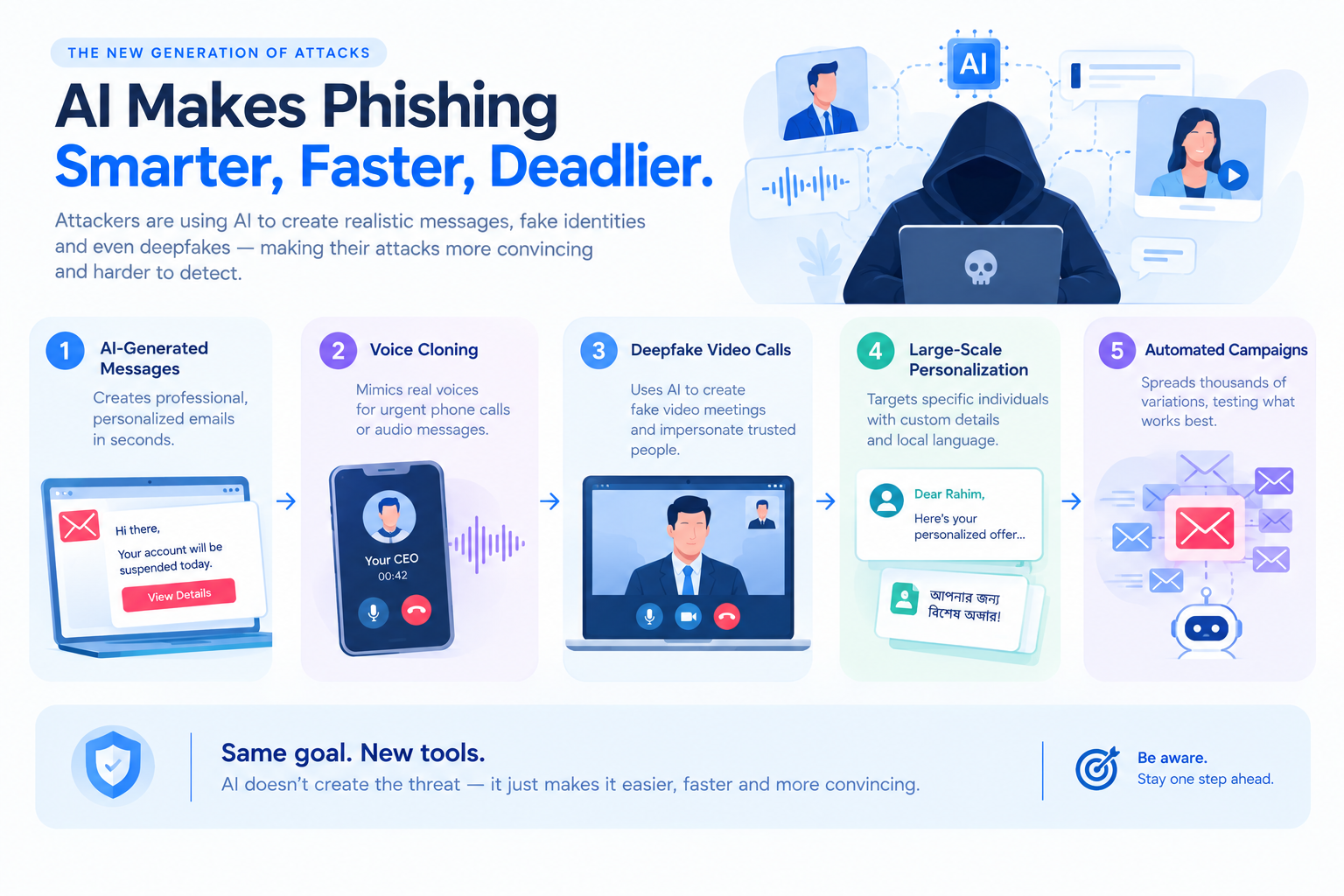
How AI Is Supercharging Phishing
Generative AI is making phishing faster and more convincing.
Attackers can now create professional-looking messages, personalize them for specific targets, translate them into local languages, and generate large numbers of variations with relatively little effort.
The same technology is also being used for:
Voice cloning
Deepfake video calls
Fake customer-service conversations
Automated social engineering
Personalized business-email compromise
That changes the economics of phishing.
Attackers no longer need perfect English, professional designers, or highly customized manual campaigns.
AI can help them scale.
And when an attack looks and sounds like someone you already trust, traditional “look for spelling mistakes” advice becomes much less useful.
Warning Signs You Should Never Ignore
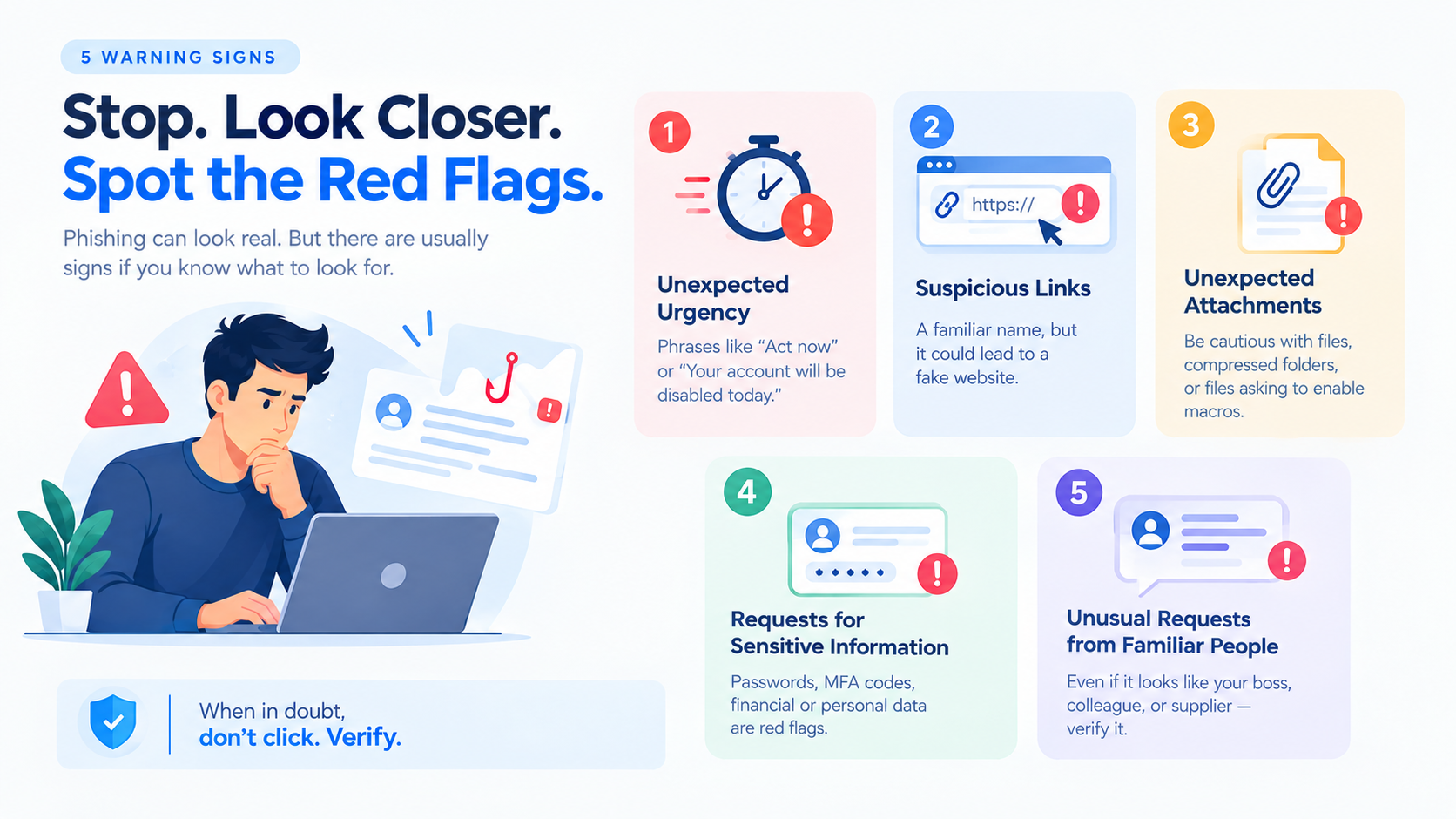
Before clicking or responding, stop and check.
1. Unexpected urgency
codeAct now
Your account will be disabled today
Payment must be completed within one hour.These are one of the oldest social-engineering techniques. Urgency is commonly used to reduce the time available for verification.
2. Suspicious links
A message may display a familiar company name while sending you somewhere completely different. Before clicking, check where the link actually leads.
3. Unexpected attachments
Be especially cautious with unexpected documents, compressed files, scripts, or files asking you to enable macros or other content.
4. Requests for sensitive information
Treat unexpected requests for passwords, MFA codes, financial information, or personal data as suspicious.
5. Unusual requests from familiar people
A message can appear to come from your boss, colleague, or supplier and still be fraudulent.
codeFamiliar name ≠ verified identity.
MFA Helps — But It Isn't the Finish Line
Multi-factor authentication makes stolen passwords less useful, but it does not make phishing impossible.
Attackers can use techniques such as:
MFA fatigue
Session-cookie theft
Adversary-in-the-middle phishing
Social engineering against help desks
Organizations should therefore combine MFA with:
Phishing-resistant authentication
Strong identity policies
Device controls
Conditional access
Login monitoring
Security works best as a layered system, not a single control.
Technology Alone Isn't Enough
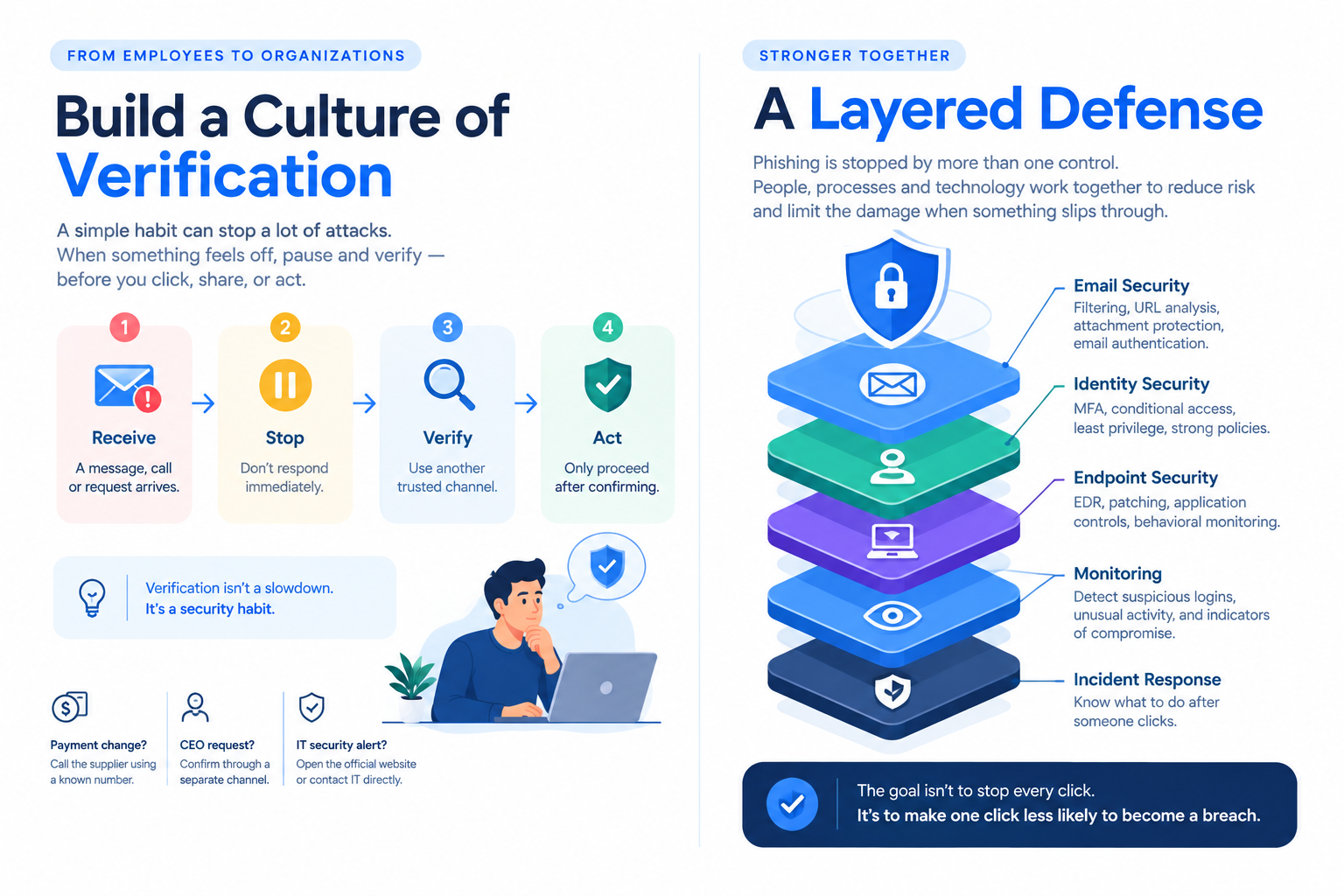
A strong anti-phishing strategy combines people, processes, and technology.
-Email Security
Deploy filtering, attachment scanning, URL protection, and email authentication.
-Identity Security
Use MFA, conditional access, least privilege, and strong authentication policies.
-Endpoint Security
Protect devices with EDR, patch management, application controls, and behavioral monitoring.
-Monitoring
Monitor suspicious logins, impossible-travel events, unusual mailbox activity, and other indicators of compromise.
-Layered Defense
No single tool catches every phishing attempt.
if one layer fails, another layer should still have a chance to stop the attack.
Bangladesh Reality: Phishing Is Becoming More Local
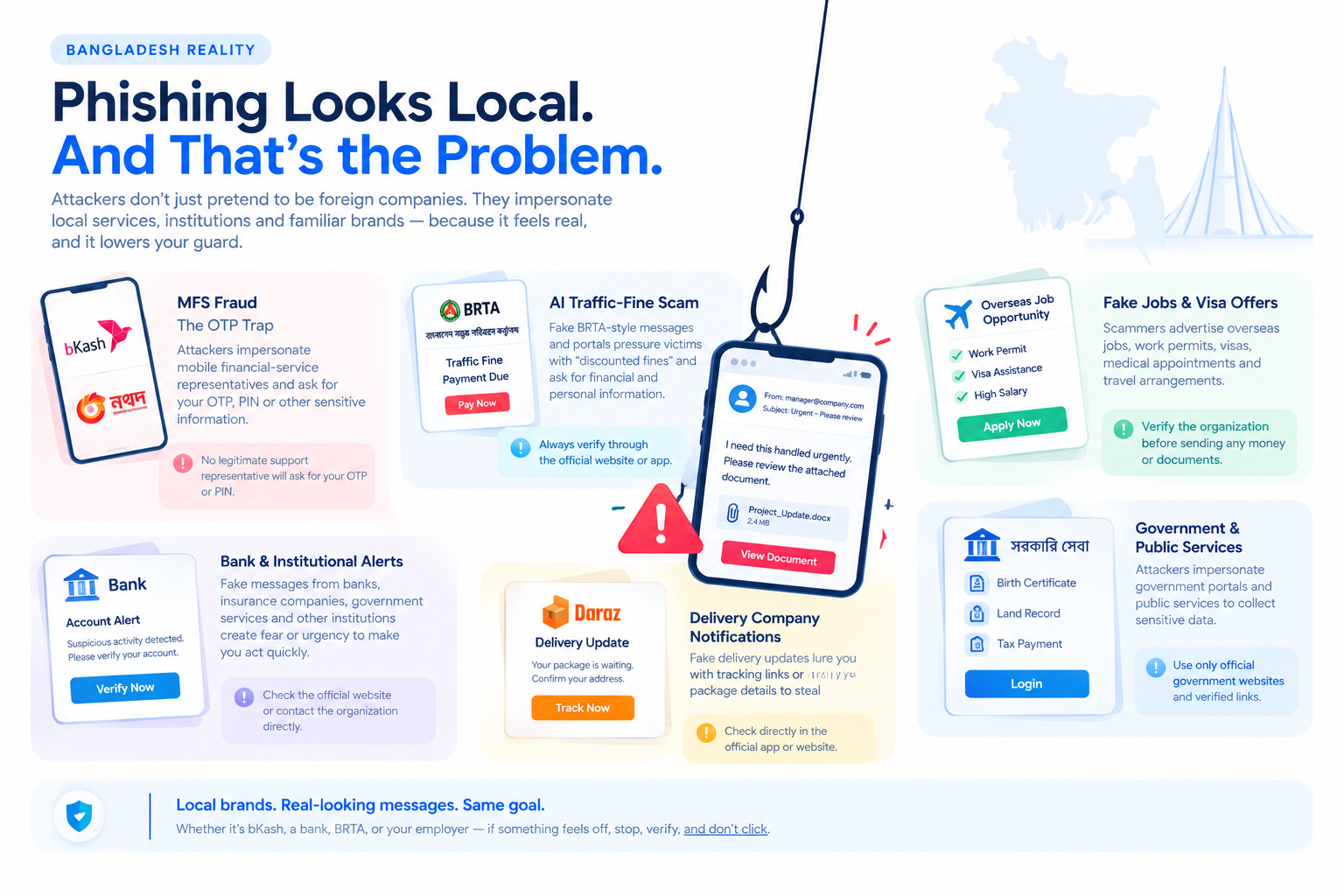
Phishing in Bangladesh is increasingly built around local services, institutions, payment platforms, and fears.
Attackers do not need to pretend to be a random foreign company.
They can pretend to be bKash, Nagad, a bank, BRTA, a government service, a delivery company, or a familiar employer.
1. MFS Fraud: The OTP Problem Is Getting Worse
Mobile financial services fraud is one of the most common cybercrimes in Bangladesh.
The playbook is simple:
A caller claims to be from bKash, Nagad, Rocket, or a bank
They say your account will be closed, your KYC needs updating, or a suspicious transaction was made
They create fear, anxiety, or urgency
They ask for your OTP, PIN, or security code
Once you share it, your account is drained
Fraudsters are contacting customers by posing as representatives of banks, bKash, Nagad, Rocket, mobile operators, and even government organisations.
In some cases, the caller claims your account will be closed if you don't verify. In others, they say you've won a prize or that a transaction was made in your name. The goal is always the same: fear or temptation, followed by a request for your OTP.
The scale is staggering. According to Bangladesh Bank data, 81,423 incidents of fraud across the country's payment ecosystem caused losses of Tk 92.60 crore in 2025. Of that, only 10.7% was recovered.
And it's getting worse. Fraudsters are now using phishing links, fake websites, fraudulent customer-care services, malicious apps, and remote-access tools — not just phone calls.
The police have issued repeated warnings. In June 2026, the Police Headquarters urged the public not to share MFS or bank PIN numbers, noting that calls were being made from the national emergency service number 999 through cloning.
What you must remember: No legitimate organisation — not bKash, not Nagad, not your bank — will ever call you and ask for your OTP or PIN. Not for KYC. Not for account verification. Not for any reason.
If someone asks for your OTP, hang up and call the official customer care number (16247 for bKash, 16167 for Nagad).
2. The AI Traffic-Fine Scam
In June 2026, Bangladesh's Criminal Investigation Department (CID) arrested three people for running a fake traffic-fine scam that exploited the rollout of AI-based traffic cameras in Dhaka.
How it worked:
A victim received an SMS claiming a Tk 3,000 traffic fine
The message offered a discount — pay within 48 hours and only pay Tk 1,500
The victim clicked a link to a fake BRTA portal and entered credit card details, bank login, and OTP
Instead of paying Tk 1,500, Tk 3 lakh was transferred from the account
The CID said the gang embezzled Tk 7,25,600 from multiple victims using this method.
Why it worked: The scam exploited a real government initiative — AI traffic monitoring — and used fear of legal action to pressure victims into acting quickly.
The technology may be new, but the psychological technique is familiar: make the victim afraid enough to stop verifying.
3. Error524: Phishing-as-a-Service
A 2026 BGD e-GOV CIRT advisory described Error524, a phishing-as-a-service operation capable of impersonating organizations across sectors.
The campaign reportedly used techniques including:
Shortened URLs
CAPTCHA filtering
Geofencing
Fake login pages
Brand impersonation
The important takeaway is that phishing infrastructure is becoming easier for criminals to deploy.
For users, the safest response to an unexpected SMS or link is simple:
Do not trust the message simply because it looks professional. Verify through the organization's official website or application.
4. GoldPickaxe: When Biometrics Become a Target
GoldPickaxe represents a different direction.
In 2026, BGD e-GOV CIRT issued an advisory about GoldPickaxe (also called GoldFactory), a mobile banking trojan targeting biometric verification systems.
Why it matters for Bangladesh:
The country relies heavily on biometric/NID verification for banking and e-KYC
MFS platforms use OTP plus biometric authentication
GoldPickaxe can steal biometric data and inject deepfakes into liveness checks
How it works:
Victim downloads a malicious app disguised as a streaming service
The app requests camera and accessibility permissions
It captures ID card photos and facial videos
It exfiltrates the data to attacker-controlled servers
Attackers use the data to generate AI-powered deepfakes capable of bypassing liveness verification
BGD e-GOV CIRT has assessed the threat to Bangladesh as HIGH, citing the country's reliance on mobile-based e-KYC, biometric NID verification, and MFS.
What to do: Only download apps from official app stores. Review app permissions carefully. Be suspicious of apps requesting both camera access and accessibility services.
5. Fake Jobs and Visa Offers
Another effective approach is to exploit opportunity rather than fear.
Attackers advertise:
Overseas jobs
Fake job offers
Work permits
Visa approvals
Medical appointments
Travel arrangements
Victims may be directed to fake government-looking websites or asked to pay fees.
The uploaded draft also references reporting concerning Bangladeshi job seekers being targeted by scam networks abroad.
When an opportunity involves money, documents, or travel, verify the organization independently before sending anything.
The Deepfake CEO Problem
Imagine receiving a video call from your CEO.
codeYou see their face.
You hear their voice.
They tell you that a confidential acquisition requires an urgent payment.Would you verify it?
A reported 2024 Hong Kong case demonstrated how dangerous this scenario can become. A finance employee was reportedly manipulated through a deepfake video meeting and transferred approximately HK$200 million across multiple transactions.
The critical point was not malware.
It was trust.
The employee believed the people on the call were legitimate.
That's why organizations should establish verification procedures for high-risk requests:
Confirm unusual payment instructions through another channel.
Use pre-agreed verification phrases where appropriate.
Never rely on video or caller ID alone.
Require multiple approvals for high-value transactions.
Build a Culture of Verification
Security awareness should not mean telling employees, "Don't click phishing emails."
People need a safer process.
codeReceive an unusual request → Stop → Verify through another channel → Then act.If someone requests a payment change by email, verify it through a known phone number.
If an executive suddenly asks for confidential information, confirm the request independently.
If an IT message asks you to log in through an unexpected link, open the official service directly instead.
Verification breaks the attacker's most powerful advantage: trust under pressure.
Test Your Organization Before Attackers Do
Security awareness training is more effective when organizations understand how employees respond to realistic threats.
Authorized phishing simulations can help identify:
Which departments are most vulnerable
Which lures are most effective
How quickly employees report suspicious messages
Whether employees repeat risky behavior
Where additional training is needed
What Organizations Should Do Now
A practical anti-phishing program should include:
Email protection — filtering, URL analysis, attachment protection, and authentication.
Strong authentication — MFA and phishing-resistant authentication where possible.
Security awareness — practical, recurring training.
Authorized phishing simulations — test behavior under realistic conditions.
Easy reporting — make reporting suspicious messages simple.
Endpoint protection — EDR, patching, and device controls.
Least privilege — limit what compromised accounts can access.
Login monitoring — detect suspicious authentication activity.
Incident response — know what happens after someone clicks.
Transaction verification — independently verify high-risk financial requests.
Most importantly, organizations should treat phishing as part of their broader identity, endpoint, email, and incident-response strategy.
Phishing defense is not one product.
It is a security strategy built around identity, people, endpoints, email, monitoring, and response.
Protect Your Organization Before Attackers Test It
Phishing is no longer just an email problem.
It is an identity problem, a human-risk problem, and a business-security problem.
At Penough, organizations can strengthen their defenses through:
Security Awareness Training
Phishing Simulations
Vulnerability Assessment & Penetration Testing
Red Teaming
SOC & Threat Hunting
Digital Forensics & Incident Response
Don't Let One Click Become a Breach
Phishing succeeds when a small moment of trust creates a much larger security opportunity.
You cannot guarantee that nobody in an organization will ever click a phishing link.
The more realistic goal is to build an organization where:
One click does not automatically become a compromise.
That means:
Employees know how to pause and verify.
Authentication limits the value of stolen credentials.
Endpoint controls contain malicious activity.
Monitoring detects unusual behavior.
Incident-response teams know what to do next.
The strongest defense is not expecting humans to be perfect.
It is designing the environment so one human mistake does not become a business-wide incident.