

Your employees are one of your organization's most important lines of defense against phishing.
But how do you know that defense is working?
You test it.
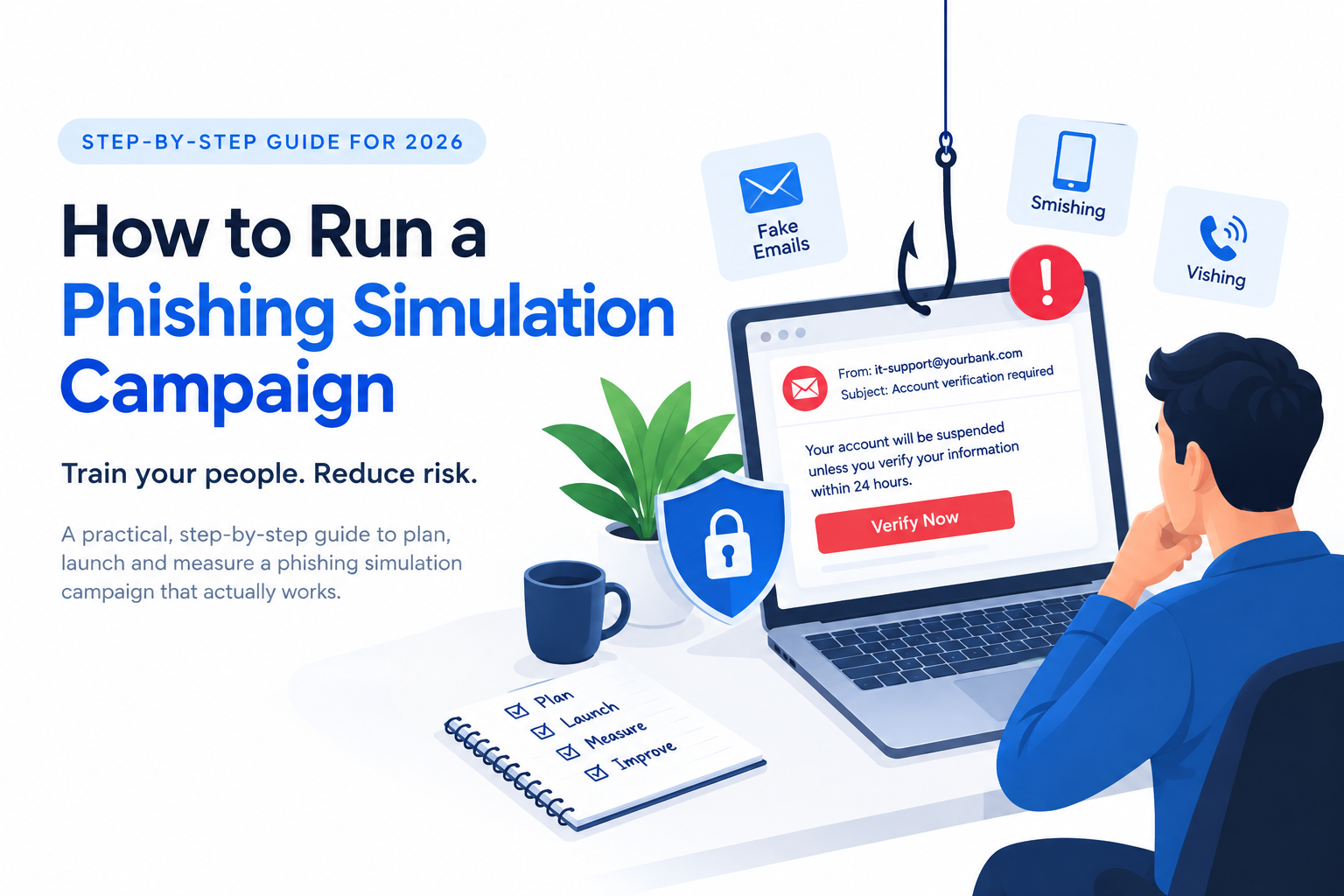
A phishing simulation is a controlled, authorized exercise where an organization sends realistic but harmless phishing messages to employees and measures how they respond.
Why Phishing Simulations Matter in 2026
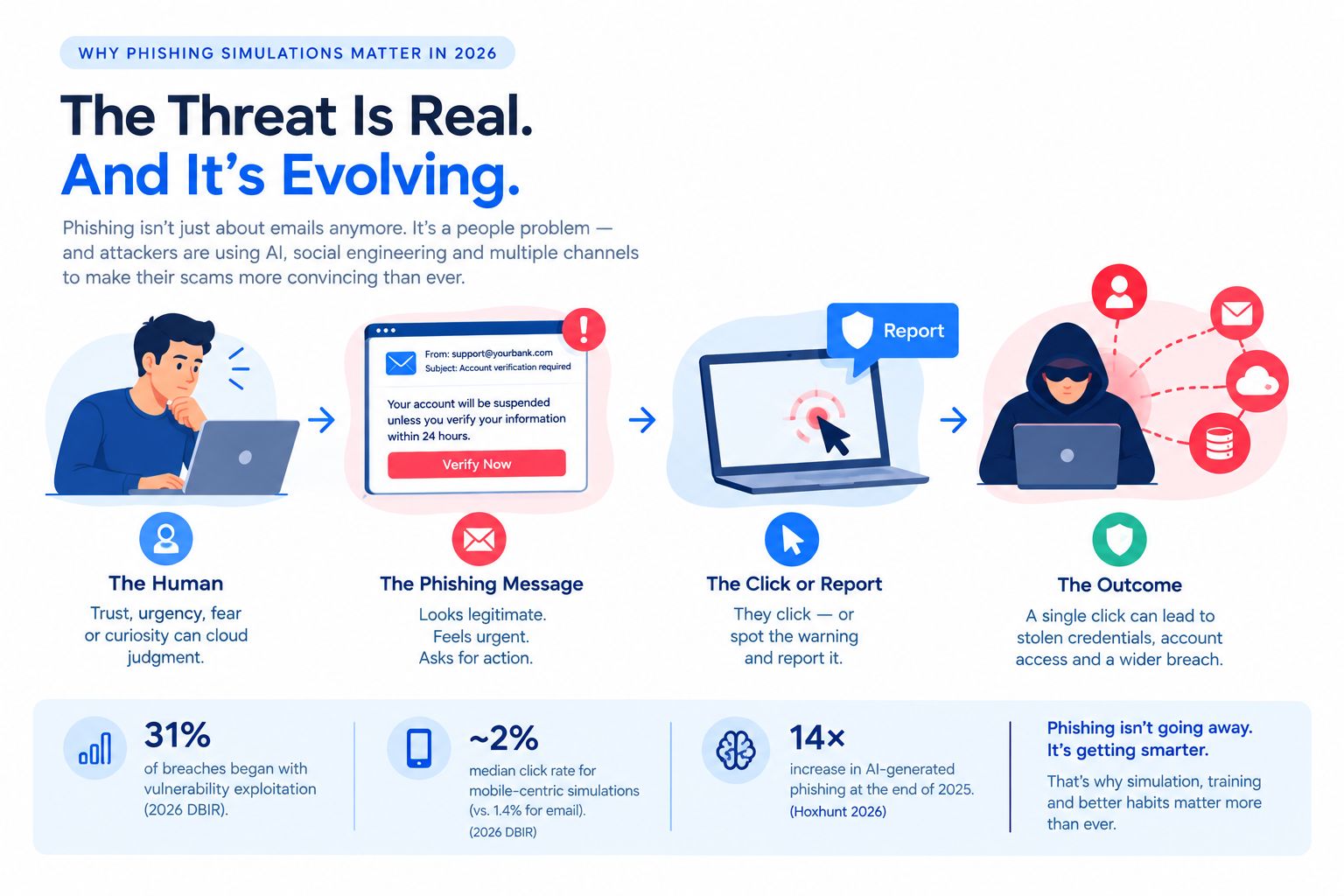
Phishing remains an important part of the social-engineering threat landscape, even as attackers increasingly move beyond traditional email.
Verizon's 2026 DBIR found that 31% of breaches began with vulnerability exploitation, making it the leading initial access vector in that year's dataset. At the same time, Verizon found that mobile-centric social-engineering simulations had a median click rate of about 2%, compared with 1.4% for email simulations — roughly 40% higher.
AI is also changing the threat.
Hoxhunt's 2026 research found that AI-generated phishing increased roughly 14× at the end of 2025, rising from under 5% of detected attacks to 56% in December before falling to 40% in January 2026.
That means awareness training can't remain a once-a-year checkbox.
Employees need repeated opportunities to practice recognizing suspicious messages, reporting them, and stopping before a risky action.
Phishing simulations turn awareness into behavior.
Before You Launch: The Non-Negotiables
1. Get Executive and HR Alignment
Phishing simulations involve employee behavior and potentially employee-related data.
Before sending anything, align with:
Executive leadership — establish the purpose and support for the program
HR — agree on how results will be handled
Legal/Privacy — review applicable privacy and employment requirements
IT/Security — ensure simulations cannot accidentally disrupt systems
The most important principle is simple:
Build a learning program, not a punishment program.
Employees should feel safe reporting mistakes rather than hiding them.
2. Establish the Legal and Ethical Framework
Phishing simulations should be authorized, transparent at the program level, and designed to minimize unnecessary employee data collection.
If you operate under GDPR or another privacy regime, don't assume that employee consent is automatically the correct legal basis — or that it is never relevant. The appropriate approach depends on the processing, jurisdiction, employment context, and organizational circumstances.
Before launch:
Document the applicable legal basis.
Collect only necessary information.
Define how long campaign data will be retained.
Restrict access to individual results.
Consider aggregated reporting where possible.
Involve legal/privacy teams where required.
Address works-council or employee-representation requirements where applicable.
Realistic does not mean unethical.
The simulation should create a useful learning experience without unnecessary fear, humiliation, or harm.
3. Define Success Before the Campaign
Don't make click rate your only KPI.
Someone might click a simulated link, realize something is wrong, and immediately report the message.
That is very different from clicking and continuing with the attack.
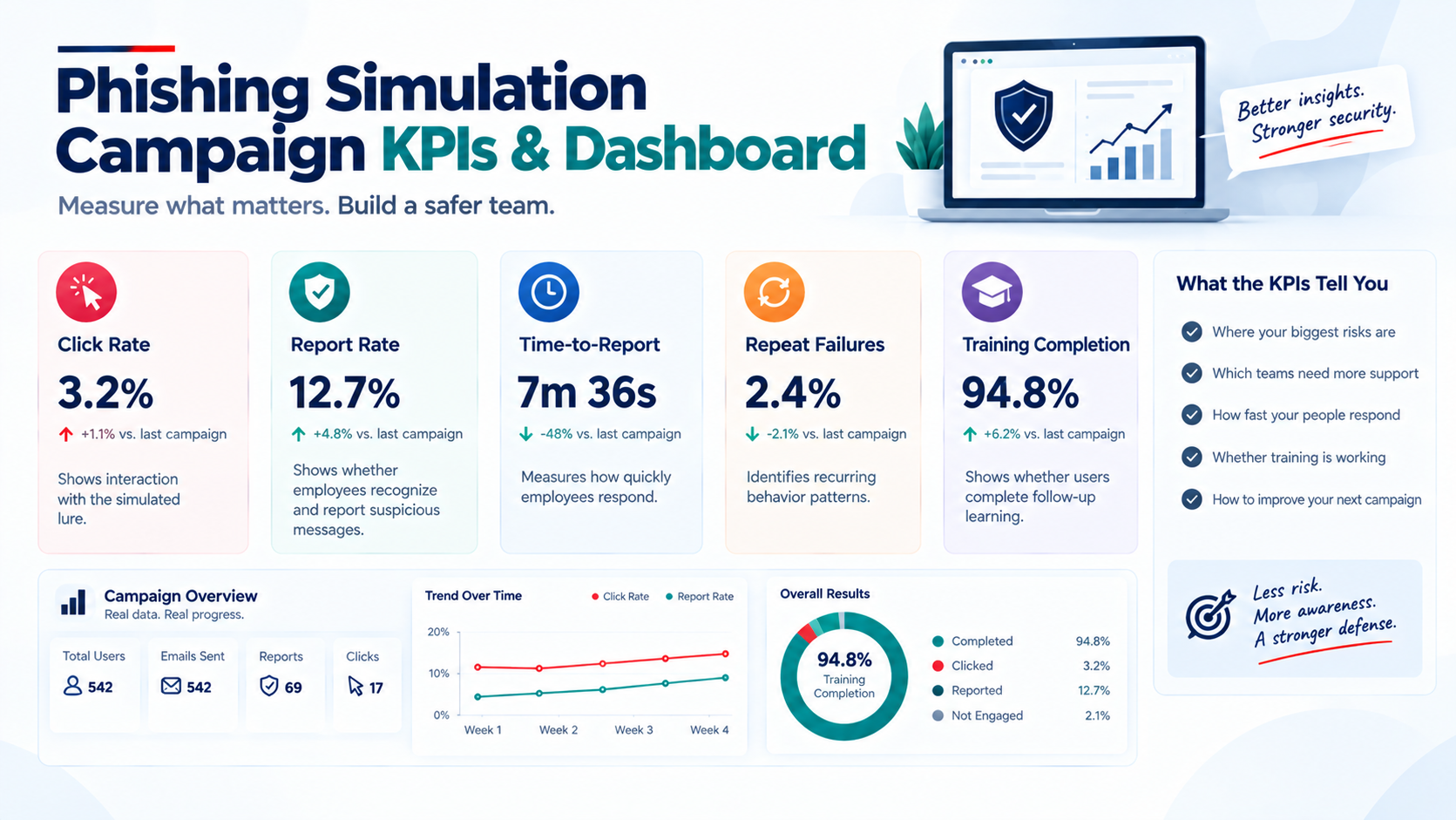
Track:
Metric | Why It Matters |
|---|---|
Report rate | Shows whether employees recognize and report suspicious messages |
Time-to-report | Measures how quickly they respond |
Click rate | Shows interaction with the simulated lure |
Repeat click rate | Identifies recurring behavior patterns |
Training completion | Shows whether users complete follow-up learning |
Step 1: Choose Your Platform
Your platform depends on budget, technical capability, scale, and whether you need integrated training.
Common options
Tool | Type | Best For |
|---|---|---|
Self-hosted/open source | Technical teams wanting control | |
SaaS | Simulation + awareness training | |
Enterprise SaaS | Large enterprise environments | |
SaaS | Enterprise phishing defense | |
SaaS | Behavior-focused programs |
GoPhish is useful for organizations that want a self-hosted simulation platform and have the technical capability to manage it.
Commercial platforms may provide additional features such as training libraries, reporting dashboards, identity integrations, and automated remediation.
What to look for
Choose a platform that supports:
Realistic phishing templates
Click and reporting measurement
Safe landing pages
Training integration
Aggregate and individual reporting
SSO/identity integration
Localization
Campaign scheduling
Exportable results
The tool matters.
But campaign design matters more.
Step 2: Design Your Campaign
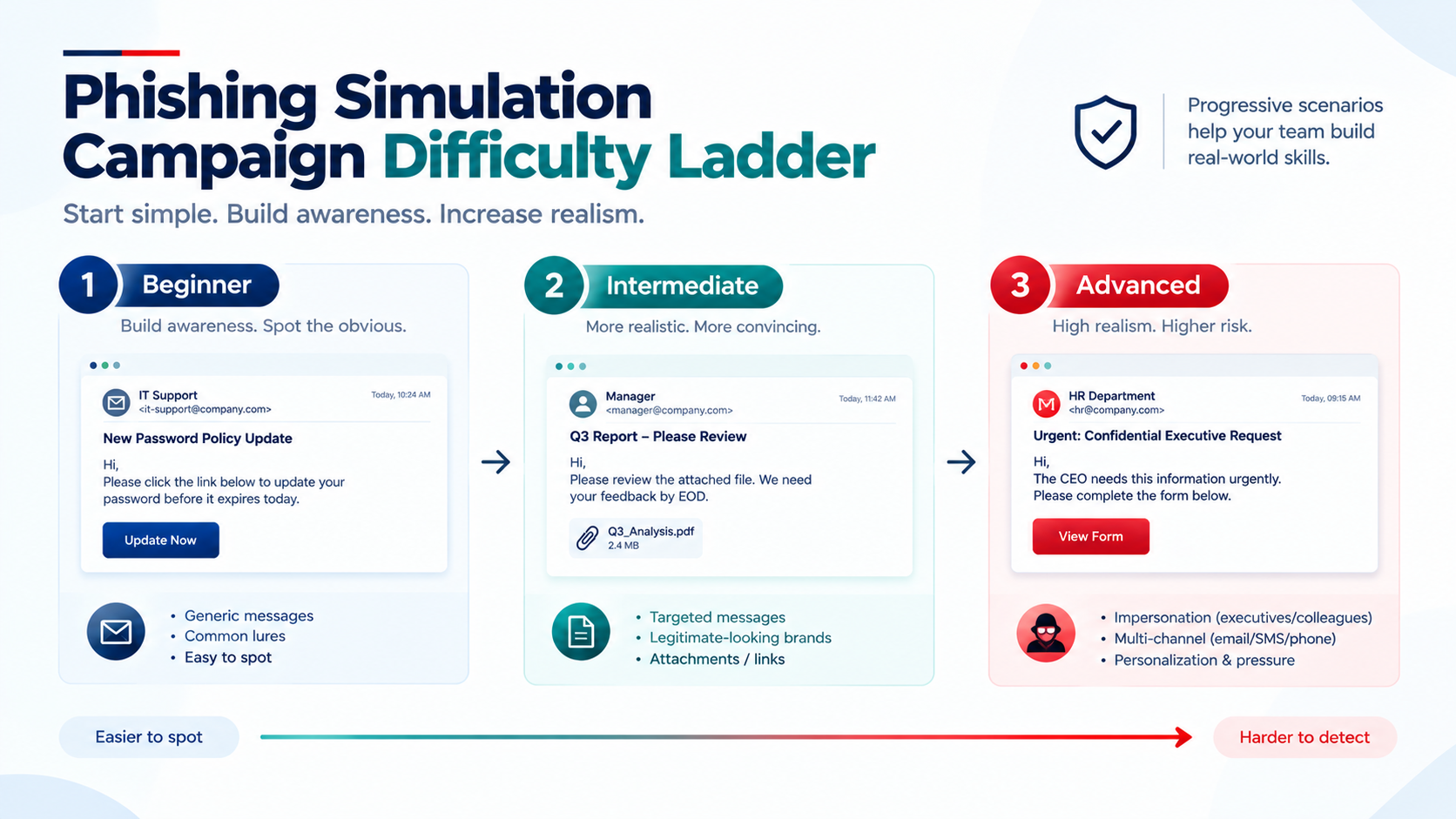
Start With the Right Difficulty
Don't begin with an extremely sophisticated attack.
Build difficulty gradually.
Beginner
Use obvious indicators:
Generic greetings
Suspicious domains
Poor grammar
Obvious urgency
Intermediate
Introduce:
Familiar branding
Personalized greetings
Realistic business scenarios
Convincing sender names
Advanced
Introduce:
Internal context
Executive impersonation
Payment requests
IT-support scenarios
Multi-step attacks
AI-polished messages
The objective is to improve resilience, not maximize failure.
Don't Train Only Against Email
Modern social engineering is moving across channels.
Verizon's 2026 DBIR found that phone-centric social-engineering simulations had a median click rate about 40% higher than email simulations in its dataset.
Depending on your organization's risk profile, consider:
Email phishing
Smishing
Vishing
Callback phishing
Calendar-invite scams
Help-desk impersonation
Multi-channel simulations should receive additional legal and ethical review because they can have greater real-world impact.
Step 3: Run the Campaign
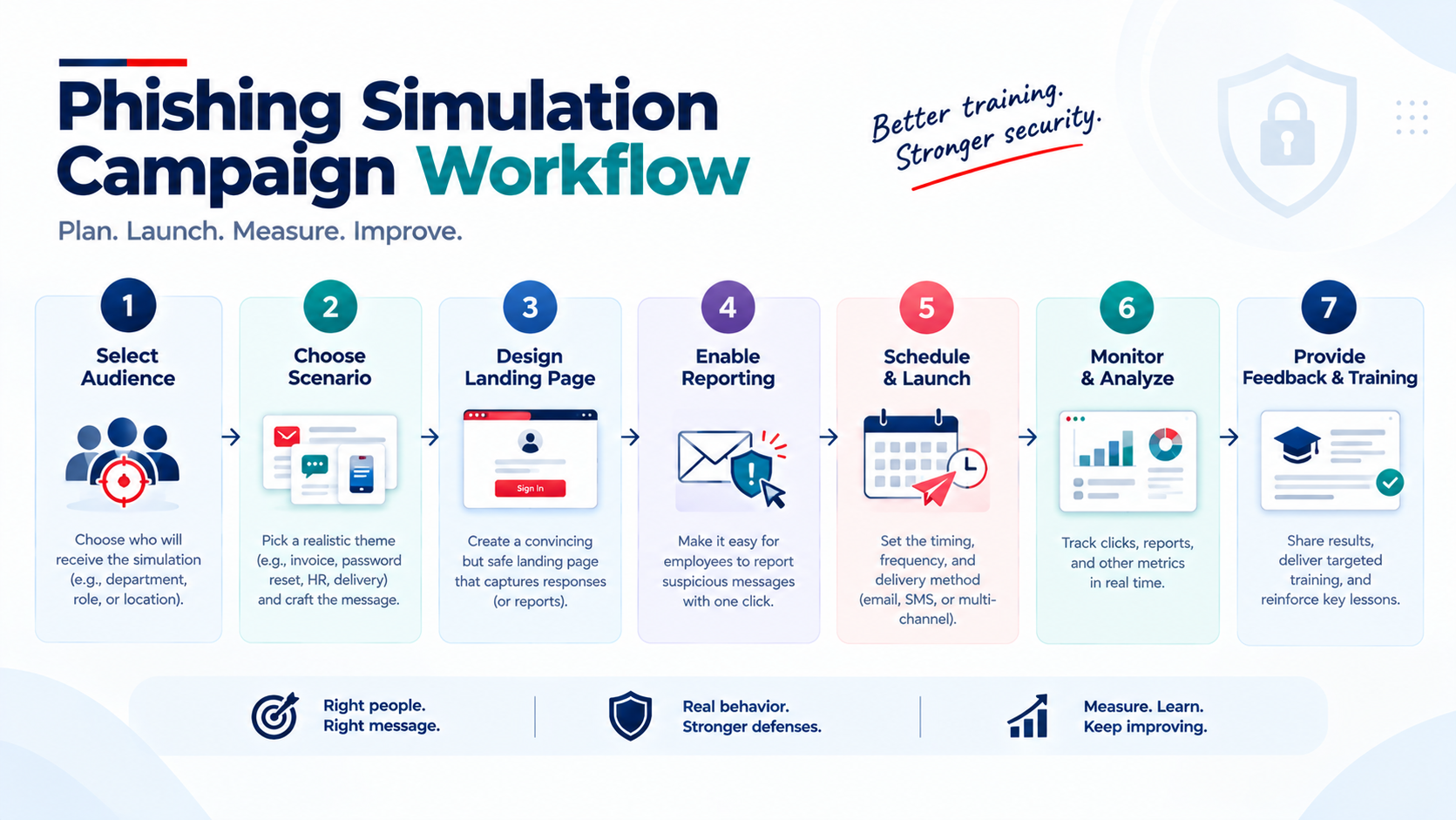
A campaign doesn't need to be complicated.
The workflow
code1. Select the audience
Start with a pilot group before expanding.
2. Choose the scenario
Match difficulty to the organization's maturity.
3. Build the landing page
If someone interacts with the simulation, provide immediate educational feedback.
4. Set the reporting mechanism
Give employees one obvious way to report suspicious messages.
5. Schedule the campaign
Stagger messages when appropriate to reduce artificial word-of-mouth effects.
6. Monitor results
Watch for automated security scanners or mail systems generating clicks that can distort results.
7. Provide immediate feedbackA failed simulation should become a learning opportunity.
What Happens When Someone Clicks?
Don't shame them.
Instead:
Immediately
Show an educational landing page.
Explain the warning signs they missed.
Provide a short learning module.
Reinforce the correct reporting process.
Afterwards
If someone repeatedly struggles:
Review their results.
Provide targeted training.
Consider a supportive conversation.
Identify whether their role or workflow creates additional exposure.
And when someone reports the simulation correctly:
Reinforce that behavior.
That's exactly what you want employees to do during a real attack.
Step 4: Measure What Matters
Don't chase an arbitrary industry “perfect score.”
Different simulations produce different results depending on:
Scenario difficulty
Industry
Employee role
Channel
Geography
Training maturity
Verizon's 2026 DBIR reported a 1.4% median click rate for email phishing simulations and about 2% for phone-centric simulations in its available dataset. Verizon also cautions that the phone/text simulation sample was much smaller.
So don't ask:
“Are we better than everyone else?”
Ask:
“Are we getting better than we were three months ago?”
Track:
Click rate
Report rate
Time-to-report
Repeat failures
Training completion
High-risk user count
A falling click rate combined with a rising report rate is a much more useful signal than click rate alone.
Step 5: Improve and Iterate
A phishing simulation is not a one-time project.
After every campaign:
Review | What happened? |
|---|---|
Analyze | Which scenarios generated the most risky behavior? |
Identify | Which departments, roles, or channels need more attention? |
Adjust | Increase or decrease difficulty based on results. |
Repeat | Introduce new scenarios based on current threats. |
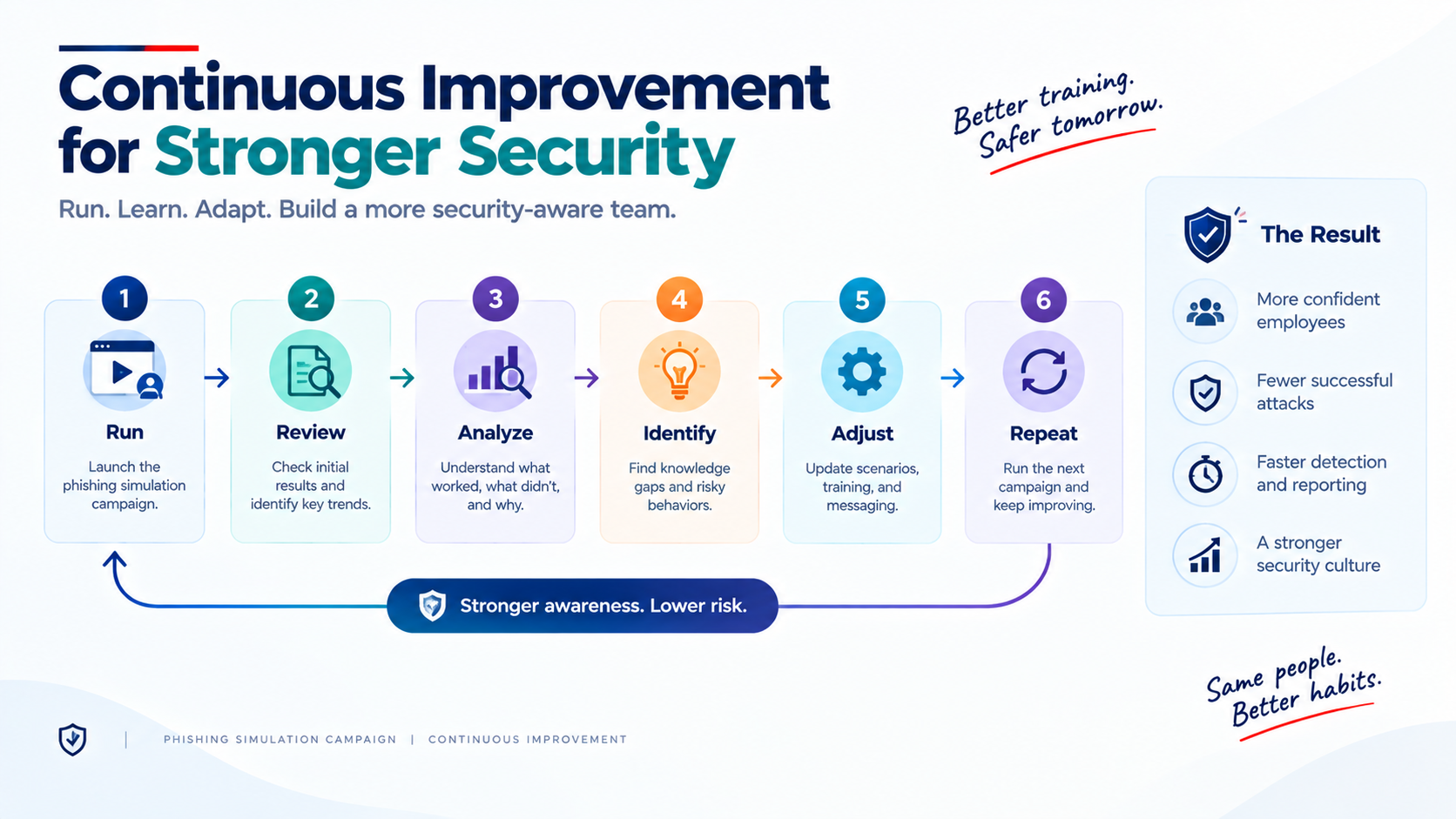
Hoxhunt's 2026 research emphasizes the value of repeated, behavior-focused training rather than static awareness exercises. Its dataset covers more than 50 million real and simulated threat reports from more than 4 million users.
The goal is habit formation, not a single successful test.
Common Mistakes to Avoid
-Punishing employees for clicking
This can discourage reporting and create fear around mistakes.
-Measuring only click rate
A click doesn't tell the whole story.
-Using unrealistic scenarios
If simulations don't resemble the threats employees actually encounter, the learning may not transfer to real attacks.
-Reusing the same template
Employees may learn to recognize the simulation rather than learn how to recognize phishing.
-Ignoring mobile and voice threats
Attackers increasingly use SMS, calls, and other channels.
-Skipping legal and privacy review
Employee simulations should be authorized and appropriately governed before launch.
-Treating simulations as an annual event
Behavior changes through repeated practice and reinforcement, not one yearly exercise.
Frequently Asked Questions
How often should we run phishing simulations?
codeThere is no universal schedule for every organization. Mature programs may use frequent, varied simulations, while smaller or less mature programs may begin with a manageable recurring schedule.
The important part is consistency and variety, not simply hitting a number.What's a good click rate?
codeThere is no universal target.
Use the same type of scenario over time and compare your own results. Also track reporting behavior and time-to-report.Should employees know they're being tested?
codeEmployees should know that phishing simulations are part of the organization's security program.
You generally don't need to announce the exact date, time, or scenario beforehand.What happens if someone clicks?
codeProvide immediate, constructive feedback and targeted training.
The goal is improvement, not punishment.Can we simulate vishing?
codeYes, but voice simulations require additional safeguards because they can feel significantly more intrusive than email exercises. Review applicable legal, privacy, and employment requirements before launching them.Do we need employee consent?
codeThat depends on the jurisdiction, processing activities, employment context, and legal framework. Don't assume that consent is automatically required or automatically inappropriate. Have your legal/privacy team determine the appropriate basis and transparency requirements.Build Simulations Around Bangladesh's Real Threats
A phishing program becomes more useful when the scenarios resemble what employees actually encounter.
For Bangladeshi organizations, consider controlled simulations based on:
bKash/Nagad impersonation
Fake BRTA notices
Bank alerts
Delivery scams
Fake job offers
Government-service notifications
MFS verification requests
Train employees in Bangla where appropriate, and make examples culturally and operationally relevant.
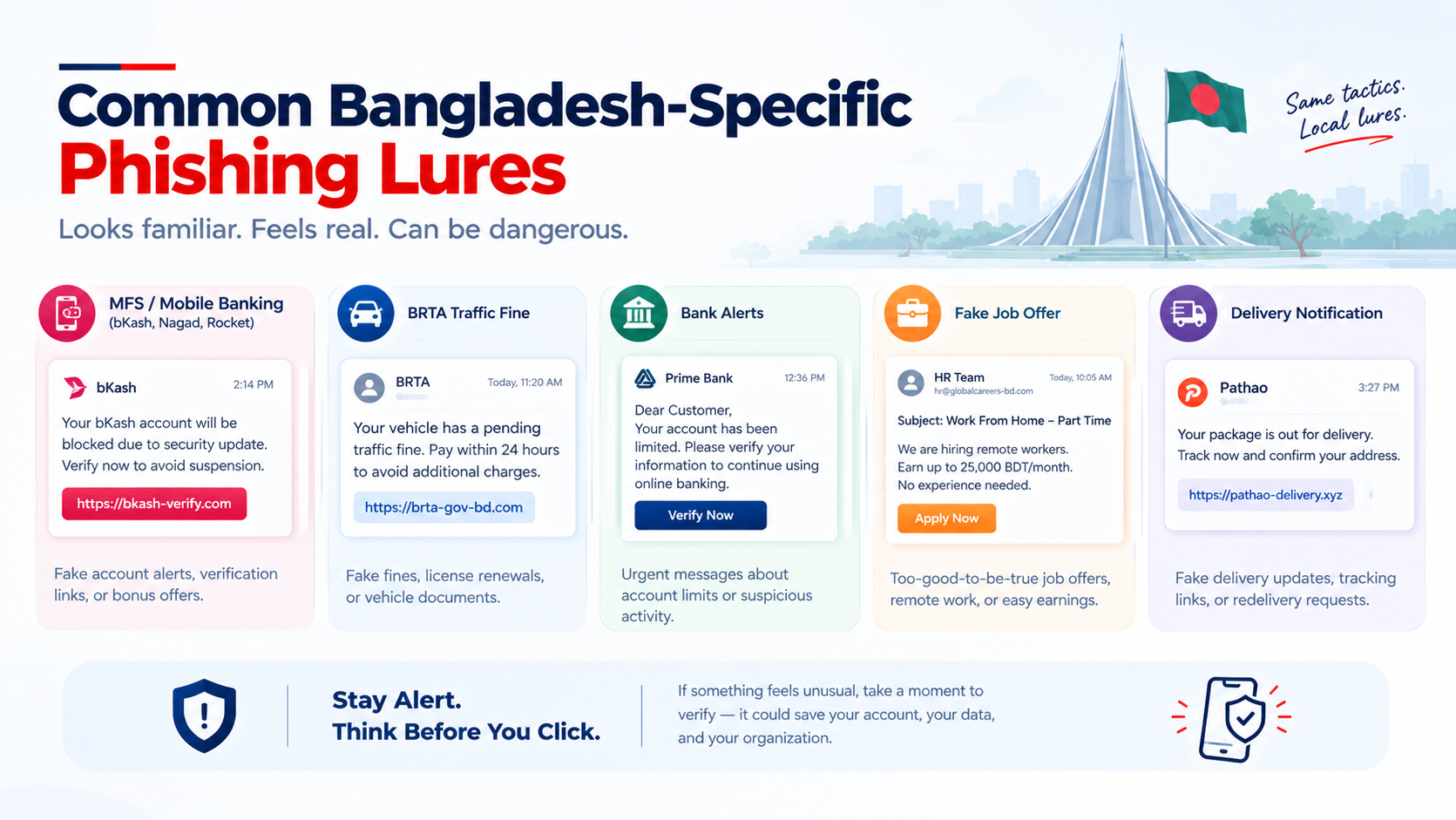
A realistic simulation should test security behavior — not simply whether someone recognizes an English phishing template.
How Penough Can Help
Running an effective phishing simulation program requires more than sending fake emails.
Penough can help organizations build a structured program across:
Service | How It Helps |
|---|---|
Phishing Simulations | Tests employee resilience with realistic, locally relevant scenarios |
Security Awareness Training | Turns simulation failures into targeted learning |
Vishing & Smishing Simulations | Tests social engineering beyond email |
VAPT & Red Teaming | Identifies technical weaknesses that can amplify phishing attacks |
SOC & Threat Hunting | Detects suspicious activity following potential compromise |
Our goal is to build an organization where one click doesn't become a breach.
The Last Message
A phishing simulation campaign is not an employee “gotcha” exercise.
Done properly, it is a continuous security-improvement program.
The strongest programs:
Use realistic and locally relevant scenarios
Test multiple attack channels
Measure reporting as well as clicking
Provide immediate feedback
Protect employee privacy
Avoid punishment and humiliation
Adapt simulations as threats evolve
Use results to improve training and defenses
Phishing is changing quickly. AI is making malicious messages more scalable and convincing, while attackers are increasingly moving toward mobile and multi-channel social engineering.
Your employees don't need to recognize every phishing email.
They need to develop the habit of stopping, verifying, and reporting when something feels wrong.
Train that behavior before attackers test it for you.