


Phishing succeeds because it targets people, not firewalls: Microsoft detected about 7.3 billion email-based phishing threats in Q3 2026 alone. This pillar guide shows you how to spot a phishing email, investigate it like a SOC analyst, stop it with layered controls, and train employees to report it.
In This Complete Guide
Quick Answer: How Do You Stop Phishing Emails?
Understanding Phishing Emails: Types and How Campaigns Work
How to Identify a Phishing Email: 5 Warning Signs
Phishing Email Investigation: How a SOC Analyst Works
Detection and Incident Response: The 7-Step Process
How to Prevent Phishing Attacks: The 5-Layer Defense
Latest Phishing Statistics and Trends (2025–2026)
Employee Security Awareness Training and the STOP Method
Phishing Simulation: Measure Real Behavior
PhishTop by Penough
Pre-Launch Checklist
Bottom Line Verdict
FAQ and More From the Series
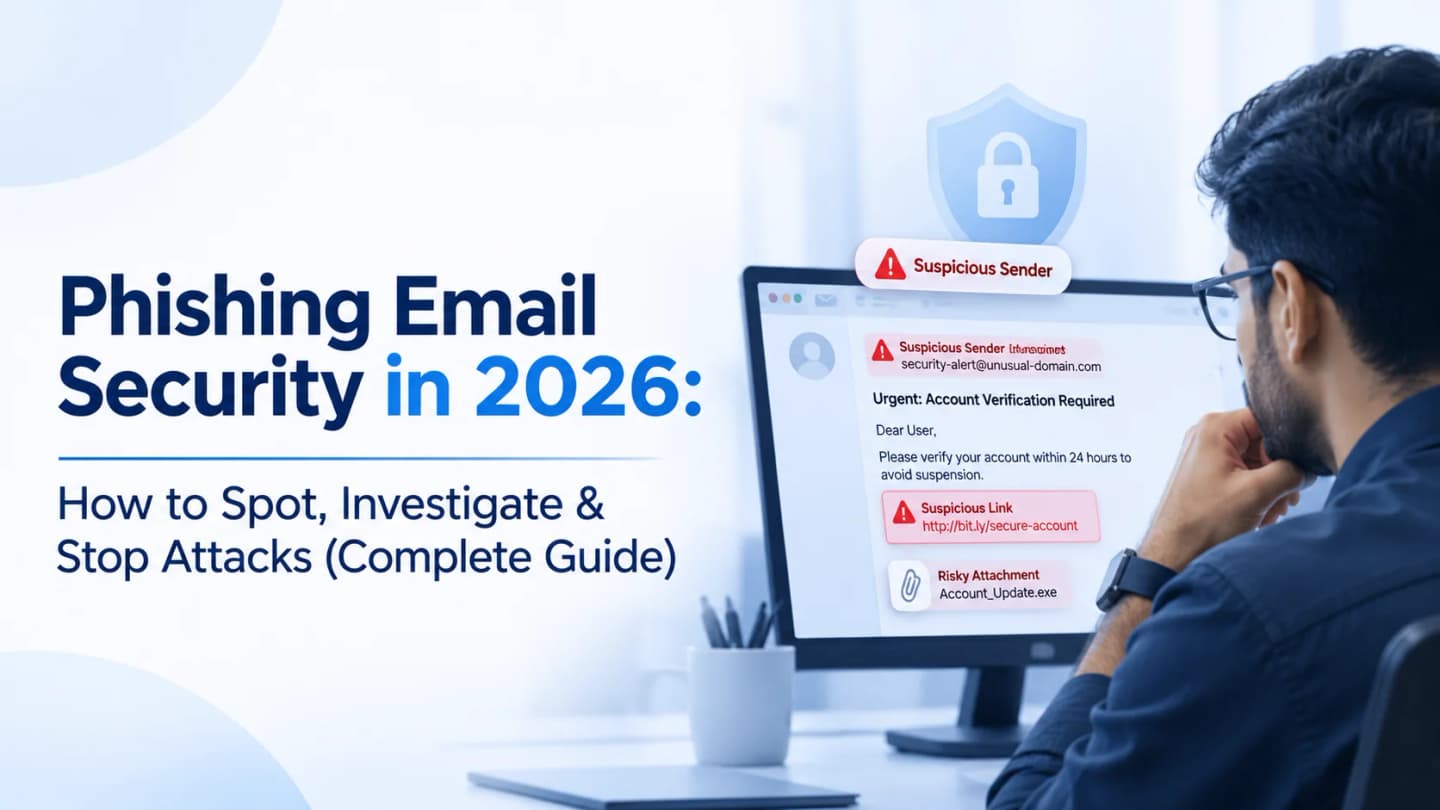
Quick Answer: How Do You Stop Phishing Emails?
Verify before you act, and layer your defenses. No filter catches everything, so pair authenticated email (SPF, DKIM, DMARC) and filtering with phishing-resistant MFA, endpoint detection, SOC monitoring, and employees who know how to spot and report a suspicious message within minutes.
Read this first:
The email that fooled someone yesterday rarely has typos. It has your company logo, a familiar sender name, and a believable deadline. Teach people to check the request, not just the spelling.
2026 Phishing at a Glance
Number | What It Means | Source |
|---|---|---|
~7.3 billion | Email-based phishing threats Microsoft detected in Q3 2026 (July–September), with September alone near 3 billion | |
~129 million | Malicious messages that spoofed the sender domains of tracked business services (DocuSign was the most-spoofed brand in September) | |
~12.1 million | QR code phishing attacks in Q3, down 67% from Q2 but still a real path from a managed PC to a personal phone | |
33.2% → 4.2% | Global average phish-prone percentage before training vs. after 12 months of continuous training and simulation |
The scenario every security team knows. An employee gets an email from "IT" saying their account will be suspended unless they verify their credentials. It has the logo, the right tone, and a button. They click, sign in on a fake page, and go back to work. Within minutes an attacker may be inside their mailbox. Nothing about it looked unusual, which is exactly why this guide exists.
1. Understanding Phishing Emails: Types and How Campaigns Work
Phishing is social engineering: an attacker impersonates someone you trust to get you to do something that benefits them. That could be revealing a password, opening a malicious attachment, approving a payment, or installing malware. It exploits behavior, not software bugs, because people routinely act on emails about payments, account alerts, deliveries and security notices.
The 5 Phishing Types Every Team Should Know
Type | How It Works | Typical Target | Example |
|---|---|---|---|
Email phishing | Mass emails impersonating banks, brands or services | Anyone | "Your mailbox is full. Verify now." |
Spear phishing | Tailored to one person or company after research | Finance, HR, IT, procurement | A supplier email that references a real order |
Whaling | Spear phishing aimed at executives | CEO, CFO, directors | Fake legal or acquisition request |
Business Email Compromise (BEC) | Impersonates an executive or partner to redirect money or data | Finance and payroll teams | "Urgent payment, keep this confidential." |
Smishing and vishing | SMS and voice calls, often paired with email | Employees and customers | Fake delivery text, fake help-desk call |
Going deeper on the difference between mass and targeted attacks? Read Spear Phishing vs. Phishing: Key Differences, Examples & Prevention.
How a Large-Scale Campaign Works
Attackers reuse templates, malicious domains and automated sending infrastructure to hit thousands of inboxes at once. Fake invoices, payroll lists and account-verification notices are favorites. Some campaigns even send from compromised accounts or legitimate cloud services to borrow trust.
Real example, September 2026: Microsoft Defender Research tracked a campaign on September 21 that targeted more than 56,000 users across more than 8,100 organizations with purchase-order and payroll lures, delivering the Agent Tesla information-stealing malware through disguised archive attachments. Notably, the sending domain passed SPF, DKIM and DMARC, so authentication alone did not flag it. The campaign mainly targeted Spanish-speaking countries. Read Microsoft's Q3 2026 analysis.
2. How to Identify a Phishing Email: 5 Warning Signs
Polished branding no longer proves anything, so check several signals instead of waiting for a spelling mistake.
Sign 1: A Suspicious Sender Address
The display name is not the sender. Microsoft Support can sit on top of [email protected], where the letter "i" has become a "1". This is typosquatting. Always read the full address and compare the domain to the official one.
Pro Tip:
There is no permanent list of "the most common spam domains of 2026". Attackers register and burn through domains constantly. Watch for newly registered lookalike domains, odd character swaps, brand names glued to unrelated words, and poor sender reputation, then combine reputation checks with email authentication. Useful lookups: VirusTotal, Google Safe Browsing, Cisco Talos Intelligence.
Sign 2: Urgent or Threatening Language
Pressure shrinks the time you have to think. Common lines:
"Your account will be suspended within 24 hours"
"Payment declined"
"Unusual activity detected"
"Invoice overdue, pay immediately"
When you see urgency, confirm through a channel you already trust.
Sign 3: Links That Do Not Match Their Label
The text may say https://www.microsoft.com while the real destination is microsoft-account-verification.example.com. Hover before you click and look for misspelled domains, odd subdomains, URL shorteners and surprise redirects. A padlock does not mean safe: phishing sites can have valid HTTPS certificates too. Analysts can safely investigate URLs with URLScan.io and VirusTotal URL analysis.
Sign 4: Unexpected Attachments
Be wary of ZIP and RAR archives, executables, macro-enabled Office files, HTML or SVG attachments, and PDFs with fraudulent links. An "invoice" can be a link to a fake login page or a script in disguise. Microsoft reports that roughly 94–96% of payload-based attacks in Q3 2026 simply sent people to a phishing page or showed a fake sign-in, so an attachment does not need to install anything to put an account at risk.
Sign 5: Requests That Do Not Fit Normal Business
A supplier suddenly changes bank details. An executive wants a confidential payment right now. You get a password reset you never asked for. These mismatches point to phishing or BEC.
Warning Sign | Quick Check | Safe Response |
|---|---|---|
Odd sender domain | Compare character by character with the official domain | Report, do not reply |
Urgency | Ask: would the real sender really require action in minutes? | Verify through a known channel |
Mismatched link | Hover to preview the destination | Type the site address yourself |
Unexpected attachment | Is it from someone you were expecting a file from? | Do not open, report it |
Unusual request | Does it follow your normal approval process? | Call a known number to confirm |
3. Phishing Email Investigation: How a SOC Analyst Works a Suspicious Message
Spotting a bad email is step one. A Security Operations Center (SOC) must decide whether it is malicious, who received it, and whether the attack went beyond the inbox.
3.1 Preserve the Evidence First
Save the original message as an EML file so full headers and structure survive. Do not forward it as an ordinary email, because forwarding can change or strip the evidence. Collect:
Sender and recipient addresses, subject and timestamps
Message ID, Return-Path and Received headers
Embedded URLs, attachment names and file hashes
Authentication results
3.2 Read the Headers
Header Field | What It Tells You | Red Flag |
|---|---|---|
From | The address shown to the recipient | Easy to fake, never rely on it alone |
Return-Path | Where bounces go | Differs from the visible From address |
Reply-To | Where replies actually land | Does not match the sender |
Received | The servers the message passed through | Unexpected origin or hops |
Message-ID | A unique identifier for the message | Domain unrelated to the claimed sender |
Authentication-Results | SPF, DKIM and DMARC outcomes at the receiving server | Fail or misaligned results |
3.3 SPF, DKIM and DMARC
Protocol | What It Checks | Think of It As |
|---|---|---|
SPF | Is this server allowed to send for the domain? | The guest list |
DKIM | Is the message signed by the domain and unaltered in transit? | A tamper-proof seal |
DMARC | Do SPF/DKIM align with the visible From domain, and what should happen if not? | The bouncer's instructions |
DMARC policies run from p=none (monitor only) to p=quarantine (treat failures as suspicious) to p=reject (refuse failures). Together they make domain impersonation harder.
Key Rule:
Passing SPF, DKIM and DMARC does not make an email safe. Attackers also send from legitimate but compromised accounts, and Microsoft's September 2026 campaign above passed all three. Authentication proves who sent it, not whether it is trustworthy.
For technical depth, see NIST SP 800-177 Rev. 1 on trustworthy email and the Canadian Centre for Cyber Security's email domain protection guide.
3.4 Inspect the Body and Links
Look for hidden link destinations, unexpected redirects, tracking pixels (tiny images that tell an attacker you opened the email), external resources, and requests for credentials or confidential data. Extract URLs and check reputation, registration data and IPs, always from a controlled analysis environment, never a production workstation.
3.5 Analyze Attachments Safely
Check the real file type against the extension, size, metadata, SHA-256 hash, embedded links and scripts, macro behavior, and antivirus and threat-intelligence detections. Then detonate it in a sandbox to see whether it contacts external servers, spawns processes, changes settings, sets persistence or downloads more malware. Never run a suspicious attachment on an ordinary production device.
Sandboxes to evaluate: ANY.RUN, Hybrid Analysis, VirusTotal.
3.6 Extract and Correlate IOCs
Turn the investigation into indicators of compromise (IOCs): malicious sender addresses, domains, URLs and IPs, file hashes, attachment names and suspicious process activity. If five employees received the same domain, search your logs for every connection to it.
4. Phishing Detection and Incident Response: The 7-Step Process
A suspicious email does not equal a breach. The SOC's job is to find out what happened after delivery.
Alert triage: Review the report or automated alert, check for suspicious indicators, and prioritize by potential impact.
Email analysis: Examine sender, headers, authentication results, links, attachments and content.
Threat-intelligence check: Look up domains, URLs, IPs and hashes against reliable sources.
User activity investigation: Did the recipient open it, click, download, submit credentials or run a file?
Log correlation: Combine email gateway, endpoint, firewall, DNS, authentication and SIEM logs. A firewall log may show whether a click connected or was blocked; auth logs may show suspicious sign-ins afterward.
Containment and remediation: Remove the email from mailboxes, block domains and URLs, temporarily disable compromised accounts, reset credentials, revoke active sessions and tokens, isolate infected endpoints and remove malicious files and persistence.
Documentation and recovery: Record the timeline, affected systems, evidence, actions and lessons learned, confirm the threat is gone and keep monitoring.
What Is a Persistent Foothold?
A persistent foothold is an attacker's lasting access to an account or network after the first intrusion. A stolen password may be only the beginning. The attacker might create unauthorized accounts, steal tokens, add scheduled tasks, install remote-access tools, change recovery settings, create inbox forwarding rules or keep stolen sessions alive.
Example: An attacker phishes a Microsoft 365 account and quietly adds a forwarding rule. The employee changes their password, but the rule keeps copying business mail to the attacker. That is why analysts hunt for the whole attack path, not just the original email.
4 Myths About the "Autonomous SOC"
Myth | Reality |
|---|---|
An autonomous SOC needs no human analysts | Automation handles repetitive triage, but complex incidents still need judgment and context. |
AI catches every phishing attack | AI spots patterns, but compromised legitimate accounts and novel social engineering still slip through. |
Automated response removes risk | Misconfigured automated actions can disrupt legitimate business; high-impact steps need oversight. |
More automation always means better security | You still need accurate data, tuned detections, sound workflows and trained analysts. |
Explore Penough's Security Operations Center services.
5. How to Prevent Phishing Attacks: The 5-Layer Defense
No single tool stops every message, so stack protections so that one failure does not become a breach.
Layer | What to Do | What It Stops |
|---|---|---|
1. Email security gateway | Inspect inbound and outbound mail for spoofing, malicious attachments and known indicators; quarantine before delivery | Mass campaigns, known-bad senders and files |
2. SPF, DKIM, DMARC | Publish records, read DMARC reports, investigate unauthorized senders, and move toward enforcement once legitimate senders are covered | Direct spoofing of your own domain |
3. EDR on endpoints | Detect suspicious processes spawned by an opened attachment and alert | Malware that slipped past the inbox |
4. MFA, ideally phishing-resistant | Require MFA everywhere; use FIDO2 security keys or passkeys where supported | Stolen passwords; phishing-resistant methods also resist adversary-in-the-middle phishing |
5. Clear reporting culture | One-click reporting, no punishment for honest mistakes | Slow detection, because fast reports give the SOC time to contain |
Why MFA alone is not enough:
Attackers now target session tokens and run adversary-in-the-middle phishing. In an August 2026 campaign Microsoft documented, a "device code" phishing page let victims hand over a valid session token without exposing a password or re-triggering MFA. Phishing-resistant methods and monitoring close that gap.
Mind your exceptions. Microsoft found that in September 2026, overrides applied to 63% of messages (with a recorded security outcome) that spoofed business-service domains, even though they failed authentication checks and were flagged malicious. Broad allow-list exceptions meant to protect a workflow can quietly open the door to impersonators. Review them regularly.
6. Latest Phishing Statistics and Trends: 2025–2026
Phishing Statistics 2026 (Microsoft Q3 2026)
Per Microsoft Threat Intelligence's Q3 2026 Email Threat Landscape report (published November 5, 2026):
Metric (Q3 2026) | Figure |
|---|---|
Email-based phishing threats detected | ~7.3 billion (September ~3 billion, up 41% from August) |
Malicious messages spoofing tracked business-service domains | ~129 million (41–46 million a month since May) |
QR code phishing attacks | ~12.1 million, down 67% from Q2 and 86% below the March peak |
CAPTCHA-gated phishing, September | ~3.1 million, nearly double July's low, driven partly by SVG attachments |
Payload attacks that send victims to a phishing page or fake sign-in | ~94–96% |
Malicious Microsoft Teams call attempts | ~141,000 |
Two takeaways: credential theft stayed the dominant goal of malicious attachments, and attackers keep shifting formats (QR codes down, SVG and CAPTCHA-gated pages up).
Defenses must follow behavior, not a single technique.
For quarterly industry tracking, the APWG Phishing Activity Trends Reports are a useful complement.
6 Trends to Watch
AI-assisted social engineering: Convincing, personalized messages at scale.
QR code phishing (quishing): The click moves from a protected PC to a personal phone. Deep dive: QR Code Phishing Risks, Examples & Prevention.
Phishing-as-a-service: Ready-made kits lower the skill needed to attack.
Credential and session theft: Tokens, not just passwords.
Business-communication impersonation: Invoices, payroll, purchase orders, shared documents.
Cross-platform social engineering: Collaboration tools, messaging and voice, not only email.
7. Employee Security Awareness Training: Addressing the Human Layer
Technical controls block most phishing, not all of it. A message can slip past filtering, or arrive from a compromised partner account, at exactly the wrong moment. That is when a trained employee becomes your last control.
Annual slideshows do not build that instinct. People need practice spotting and reporting suspicious messages in realistic situations. Why Traditional Security Awareness Training Fails Employees explains the gap, and How to Build an Effective Security Awareness Training Program shows how to close it.
What a Good Program Covers
Topic | What Employees Should Learn |
|---|---|
Recognizing suspicious emails | Check sender, URL, attachment, request and tone together |
Social engineering | How attackers exploit urgency, authority, fear, curiosity and trust |
Links and attachments | Why unexpected ones need verification first |
Reporting | The exact channel to use and what to do after a click |
Owning mistakes | Report right away; early reports shrink the incident |
The STOP Method
Give employees one memorable habit they can use in seconds:
Letter | Action | In Practice |
|---|---|---|
S | Stop | Do not click, download or reply yet. |
T | Think | Is this expected and reasonable? |
O | Observe | Check the sender, domain, links, attachment and wording. |
P | Proceed carefully | Verify through a separate, trusted channel before acting. |
8. Phishing Simulation: Measure How Employees Respond to Realistic Threats
Knowing what phishing looks like and spotting it on a busy Tuesday are different skills. A phishing simulation is an authorized exercise in which an organization sends controlled, realistic phishing scenarios to employees to measure awareness and response. It is for training and measurement, never for punishment.
The 4 Stages
Baseline: Run an initial campaign to see how employees currently respond.
Realistic scenarios: Fake invoices, password resets, HR notices, delivery updates.
Immediate micro-training: Anyone who interacts gets a short lesson at the teachable moment.
Measure and improve: Review results, find weak spots and run follow-ups.
Metrics That Matter
Metric | What It Tells You |
|---|---|
Click rate | Share of recipients who clicked the simulated link |
Report rate | Share who correctly reported the email |
Credential-submission rate | Share who entered data on the training landing page |
Time to report | How quickly the SOC learns about a threat |
Repeat-clicker rate | Who needs extra, targeted support |
Training completion | Whether assigned learning actually gets done |
Safety rule:
Simulations must be authorized, properly scoped, and never collect real passwords. Treat results as a learning tool, not a scoreboard to embarrass people.
Go deeper:
What Is Phishing Simulation? · How to Run a Phishing Test on Employees
Phish-Prone Percentage Explained · Phishing Simulation vs. Traditional Security Training
9. PhishTop by Penough: Practical Simulation, Measurable Improvement
Managing simulations through spreadsheets and manual follow-ups gets harder as a company grows. PhishTop is Penough's phishing simulation and security awareness platform, built around a loop:
codeFind → Train → Measure → Improve.
PhishTop Capability | Why It Helps |
|---|---|
Localized Bangla and English simulations | Lures built around business contexts familiar to Bangladeshi organizations |
Department and role-based campaigns | See how Finance, HR, Engineering and executives respond differently |
Branch-wise import | Bring in employees by branch without manual list wrangling |
Immediate micro-training | Teach at the teachable moment, not at the next annual session |
One-click reporting | Measure reporting behavior alongside clicks |
Human-risk scoring | Individual and organizational insight into where to focus |
Compliance-ready reporting | Campaign, training and risk-trend evidence for reviews |
The aim is never to catch and punish people. It is to find knowledge gaps, strengthen habits, and lower the odds that a real attack works. Explore PhishTop or compare options in Best Phishing Simulation Tools for Businesses in 2027.
10. Pre-Launch Checklist: Build a Stronger Phishing Defense
Use this before you sign off on your phishing program. Most gaps trace to one unchecked box.
Email Security
SPF, DKIM and DMARC configured, DMARC reports reviewed
Filtering and anti-phishing protection deployed
Suspicious attachments and URLs scanned or sandboxed
Lookalike-domain and sender-impersonation monitoring in place
Allow-list and override exceptions reviewed
Detection and Investigation
Reported emails preserved as EML
Header and authentication analysis part of triage
Domains, URLs and attachments checked against threat intelligence
Email, endpoint, firewall, DNS and identity logs correlated
Incident response procedure documented and rehearsed
People
Regular, role-based awareness training
A one-click way to report suspicious email
Authorized phishing simulations on a recurring schedule
Report rate and time-to-report tracked, not just clicks
Incident Response
Compromised-account, credential-reset and session-revocation steps defined
Forensic evidence preservation process ready
Lessons learned feed back into controls
Bottom Line Verdict
Verify the request, layer your controls, and make reporting easy. Phishing defense is not a one-time project. It is continuous monitoring, testing, education and improvement.
The winning formula for most organizations in 2026: authenticated email plus filtering, phishing-resistant MFA, EDR and SOC monitoring, a simple reporting button, and a recurring cycle of training and authorized simulation. Measure report rate and time-to-report alongside click rate. Effective phishing defense is not only about stopping suspicious emails. It is about building an organization that knows how to recognize, report, investigate and respond to them.
Ready to see how your team responds? Explore PhishTop by Penough and run your first authorized simulation.
Frequently Asked Questions
What is the most common sign of a phishing email?
No single sign wins. Look at the sender address, urgency, link destination, attachment and the request itself together. Polished branding and correct grammar no longer prove an email is genuine.
Does passing SPF, DKIM and DMARC mean an email is safe?
No. Those checks verify the sending domain, not the sender's intent. Attackers can send from compromised legitimate accounts, and Microsoft documented a September 2026 campaign whose sending domain passed all three.
What should an employee do after clicking a phishing link?
Stop interacting with the page, do not enter credentials, report it through the official channel immediately, and let IT reset credentials and revoke sessions if anything was entered. Early reporting limits the damage.
Is phishing simulation legal and safe?
When it is authorized, properly scoped, uses controlled landing pages and never collects real passwords, yes. Align it with your internal policies and privacy obligations.
How often should we run phishing simulations?
There is no universal schedule. Run recurring campaigns suited to your risk and headcount, vary the scenarios, and pair each with relevant training.
Can MFA stop phishing completely?
No. MFA reduces account takeover, but some attacks steal session tokens or trick users into approving access. Phishing-resistant methods (FIDO2 keys, passkeys), monitoring and awareness work together.
More From the Phishing Security Series
Guide | Read It For |
|---|---|
What Is Phishing Simulation? A Complete Guide for Businesses | How simulations work and why businesses run them |
How to Build an Effective Security Awareness Training Program | A 10-step framework and 90-day plan |
8 platforms compared | |
How to Measure Employee Phishing Risk: Phish-Prone Percentage Explained | PPP formula, benchmarks and interpretation |
A 10-step campaign playbook | |
Targeted attacks and prevention | |
Risks, examples and prevention | |
What to do differently | |
10 strategies for businesses | |
Which approach works better |
How Penough Helps You Strengthen Cybersecurity
Need | Penough Offering |
|---|---|
Employee phishing awareness | PhishTop: localized simulations, micro-training, reporting and human-risk scoring |
Monitoring and response | SOC, DFIR, and Threat Hunting and Malware Analysis (THMA) |
Finding weaknesses | VAPT, Red Teaming, and Network Configuration Review and Penetration Testing |
External threat visibility | Surveiller threat intelligence and attack-surface platform |
Building skills | Penough Academy: DCS101, DCS201, CDCS and WAS101 |
Explore Penough Cybersecurity Services, products and the Academy, and see why Penough Academy is a strong pick if you are searching for the best cyber security course in Bangladesh.
Sources: Microsoft Threat Intelligence, Email threat landscape Q3 2026 (Nov 5, 2026); KnowBe4, 2026 Phishing by Industry Benchmarking Report findings (Jul 7, 2026); NIST SP 800-177 Rev. 1; APWG Trends Reports.